
Published
- 7 min read
Syngine v0.0.2 - Building an Engine.
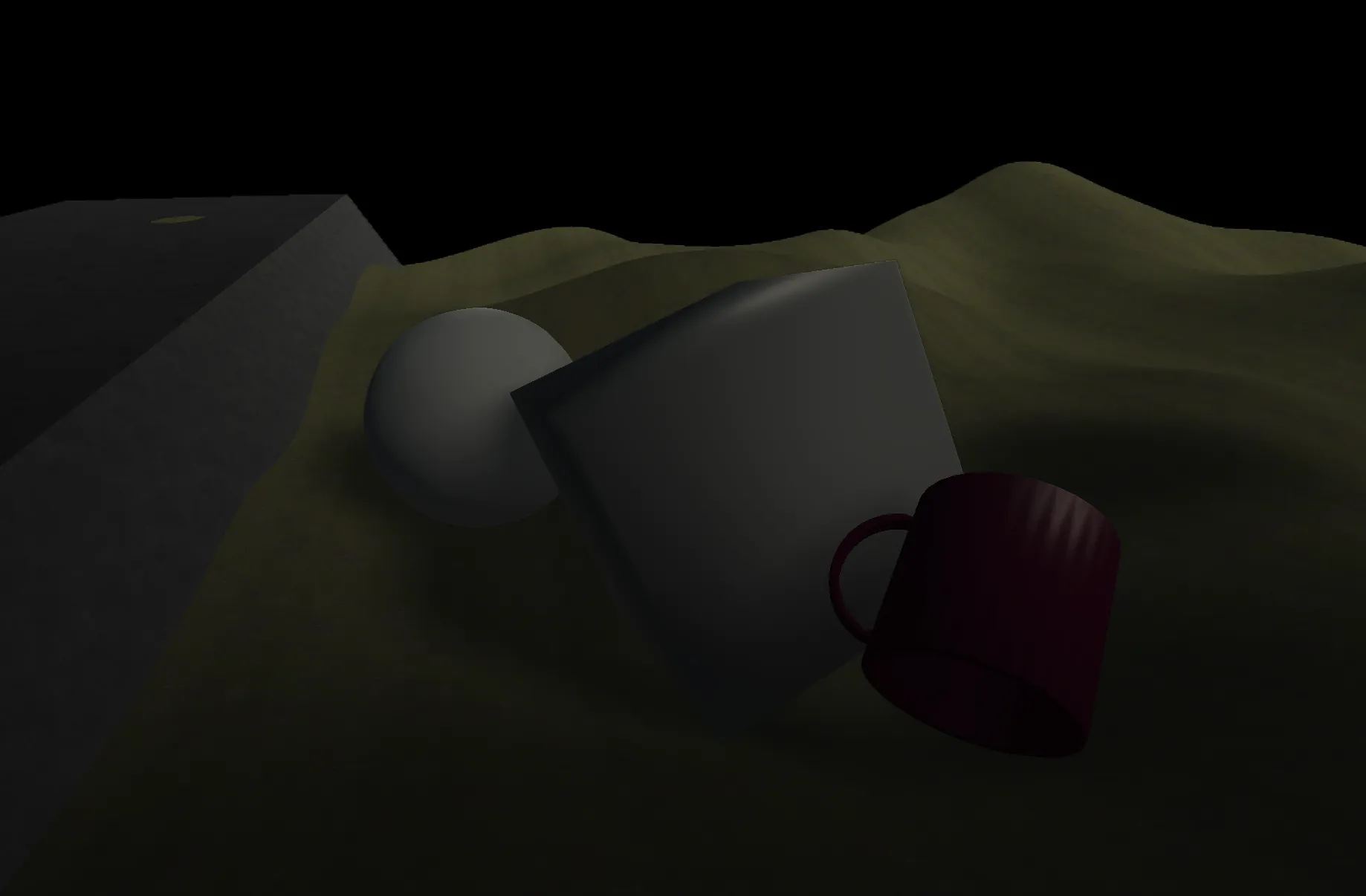
Back in April, we released the One Year Technology Demo. This demo included a demo scene along with the ability to spawn some objects and use Lua scripting.
Check out the video overview of Syngine here
Since then, we’ve been hard at work continuing to build up Syngine. Our primary goals have been to clean up the renderer while building out infrastructure to turn the project from a small-time “hm yes let me make a game” to a small scale game engine.
Overview
A lot has changed since the last demo. Roughly in order, here’s what we’ve been working on:
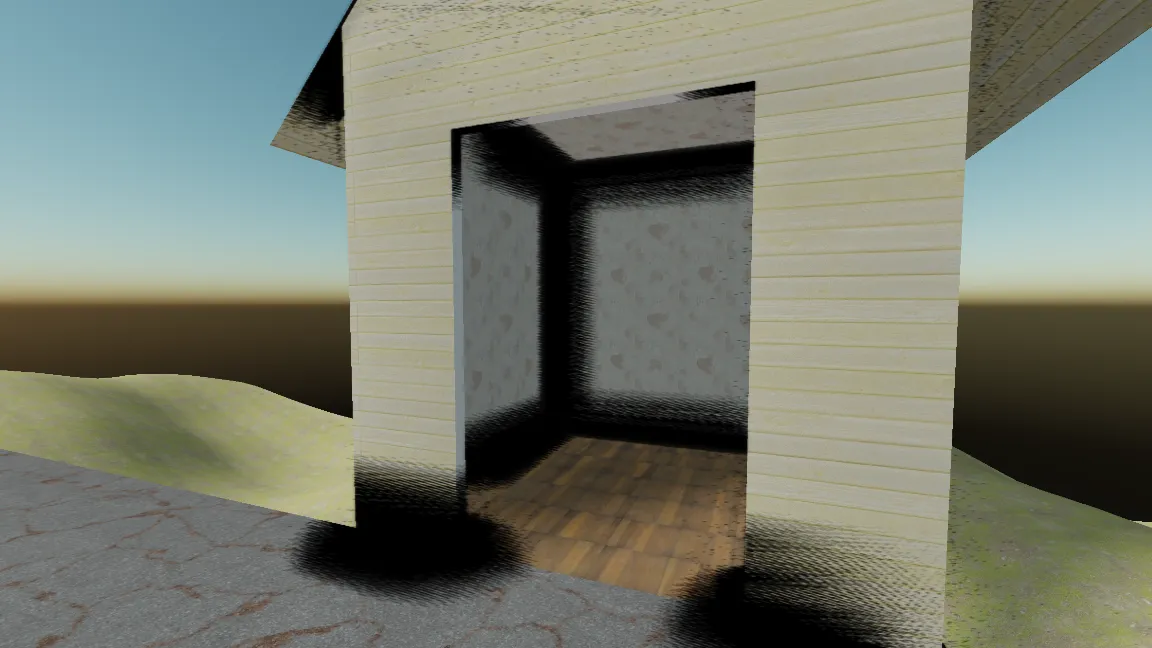
- Greatly improved shadows & SSAO implementation, both nearly rewritten from scratch. Shadows are faster and more optimized, and now use PCSS to blur shadows as the caster is further from the shadow. SSAO is faster and more realistic, but still needs some work.
- Updated all of our dependencies to a newer version, fixing several bugs, most notably the Vulkan renderer having many problems which are now fixed.
- Added unit testing to ensure engine features continue to work on all platforms after updates are made. A pseudo “headless” mode was also added, a compile time option to disable the renderer at engine startup. Unit testing helped find several issues such as transform parents attempting to incorrectly access GameObject properties and transform default scaling being incorrectly set to 0.5.
- Wayland support on Linux.
- A new SIMD enabled math library has unified the arguments and return types throughout the Syngine API. Vector, Matrix, and Quaternion types are used throughout Syngine to make the entire API much more consistent.
- Redesigned Shader, Material, and Uniform system for extendibility and less tech debt. New shader metadata and
UniformDataProviders allow the engine to register shader uniforms and samplers dynamically instead of hardcode what uniforms the shader needs. - Improvements to the build system for game assets to allow for future scenes.
- Unified shaders into a singular
default_pbrshader for consistency. RGB light support as well. - Renamed dozens of classes and changed lots of semantics for GameObject ownership to improve readability and clarity of how GameObject lifetime is managed.
- New
DirectionalLightComponentfor games to control the sun lights in the scene. - Added a Job system and persistent thread system for concurrent and parallel work. Currently, model and shader loading are parallel. Games can create jobs and threads as well.
- Proof of concept of an arena allocator. Currently only used by the RenderDirector for frame temporary data.
- Dozens of bug fixes and general improvements, such as fixed frustum culling, culling for billboards, improved renderer performance, improved
PlayerComponent, new logger functions, expanded CI, greater memory safety, and more.
We’re calling this the v0.0.2 “release.” Let’s talk through some of these additions and improvements in greater detail.
Renderer v3 (?)
The renderer has probably seen the most work than any other subsystem since the last technology demo. The old renderer, v2.5, worked and was improved over v2 and v1 but was increasingly difficult to use and did too much. It managed shaders, uniforms, materials, orchestrating rendering, and actually rendering, all in just two file. No I’ll save the monolithic renderers for Valve to do.
While the planned Forward+ renderer will come eventually, these changes should let the renderer work well enough for test games and to start prototyping the power grid simulation game.
Most of this was done for performance, reducing both CPU and GPU overhead to make a faster renderer.
Shadows & SSAO
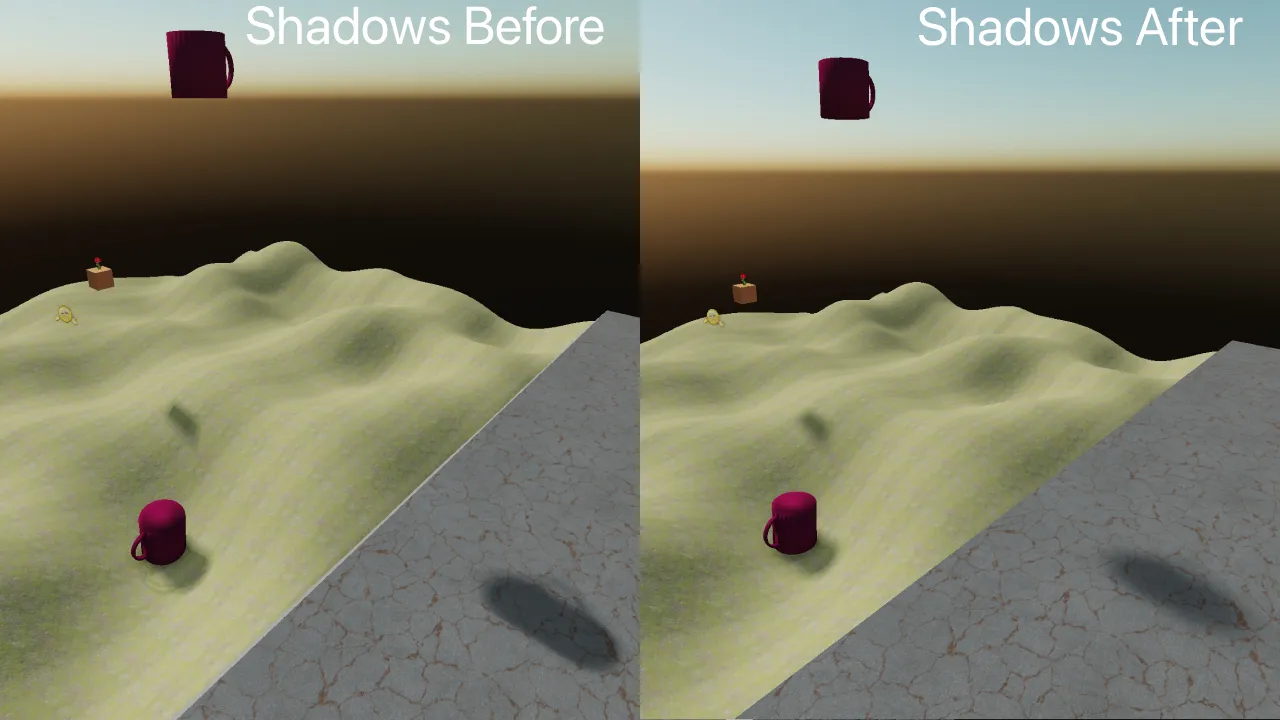 Shadows have been a continous problem for Syngine, mostly because I have high standards for them and will eventually give in to ray-traced shadows. Shadows now use a more optimized renderer (they used to often take 70%+ of the frame time!) and PCSS (Percentage-Closer Soft Shadows). PCSS allows the apparent size of the shadow to change based on the distance between the shadow caster and the surface its cast onto (i.e the ground). Objects close to the surface produce sharp shadows, while objects further away prpduce progressively softer shadows.
This needs tuning but makes a big difference in how the scene looks. Switching between shadow cascades was also optimized. In short, it’s more optimzied and looks nicer.
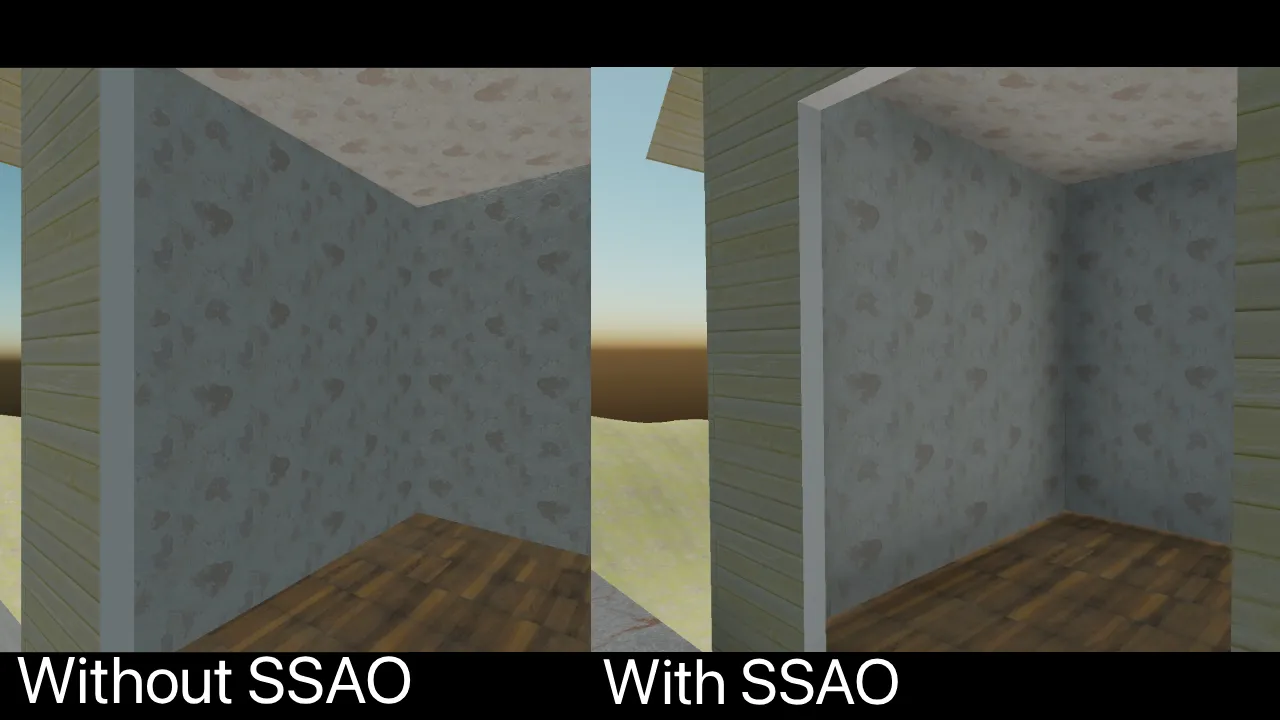 Screen-Space Ambient Occlusion has also been a big issue for me. The previous attempt worked, but as contributor Merian quickly discovered in the tech demo, was extremely laggy when the screen was filled with objects. The quick fix was to reduce the quality.
The new SSAO implementation has been rewritten from the ground up, improving the sampling and reconstruction processes while reducing texture samples and GPU work required per frame. The result is better shading and more believable lighting for far cheaper. There’s still some noise and artifacts to work through but its far improved.
Shaders
And mostly cause I felt like it, the way shaders interact with the rest of the engine has been completely redone. Previously the engine had builtin shaders and their uniforms were hardcoded in C++, including their data. This meant the renderer knew exactly what was going on with each shader, which may sound good but believe me it was so hard to read and would be hell as it grew.
The new shader system fixes this with two new concepts:
- Shader Metadata
- UniformDataProviders
Shaders are annotated with basic comments:
       // @Sampler name="s_normalMap" stage="1"
SAMPLER2D(s_normalMap, 1);

// @EngineUniform freq="draw" src="Renderer.SunDirection"
uniform vec4 u_lightDir; //worldspace sun dir
Which generates shader metadata on build, an XML file format which is included in shader bundles, that describes the shader’s required resources and where to get them. The engine can then provide those resources automatically without any hardcoding of the uniform names.
The engine creates UniformDataProviders that are small function pointers which simply return a piece of data. When the shader loader binds these providers to a shader program, the renderer can simply loop over them and set uniforms effortlessly. It sounds small from the outside but it was thousands of lines of lines of code and a pretty large architectural change for the engine.
In addition, the standard rendering path has been consolidated into one default_pbr shader rather than default for untextured objects and default_texture for textured objects.
A Math Library
Arguably the biggest improvement in v0.0.2 is this math library. It uses DirectXMath to be SIMD enabled on both x64 and ARM platforms. It has types for Vectors, Matricies, and Quaternions. Again, it doesn’t sound all that big on the surface “oh cool I can do vector math easier now” until you realize that there were hundreds of functions which used float arrays for arguments, or float references for out parameters, or returned float vectors, or whatever else, which could all now be consolidated and made… just nicer overall. For example:
Syngine::Window::GetMousePositionno longer has parametersfloat& x, float& y, and instead now returns aVector2.Syngine::Camera::viewis no longer afloat[16]array, but now aMatrix4x4.
These types also have conversions between other vectors used in the engine’s deps, mainly bgfx and Jolt. No seriously the API is so much cleaner it hardly looks like C++ when doing math.
Multithreading
One of our biggest goals has been to give Syngine actual concurrency, y’lnow, supposed to be a whole “simulation ready” game engine, it’ll want some concurrency. Concurrency is the ability for the computer to perform multiple different operations overlapping each other. We added this in two ways:
The Job system provides a way to dispatch short pieces of work across worker threads, such as model loading or simulating a single tick of power movement through a grid. Model loading has been parallelized by it, which means many less frames are dropped (but not all!) when loading a model.
The persistent thread system provides long-lived threads for systems that need them, like simulation. Both of these systems are exposed to games via the Syngine API to use.
What’s Next?
v0.0.2 is still very much an early version of a game engine. It’s been a year and a half in development but it’s already far more capable than any of us thought it would ever be. There’s still plenty of systems that are incomplete, temporary, or held together with speed tape.
Next on our list is the main editor program, Syngine Studio. It’ll allow users to create levels, manage assets, change engine settings, script GameObjects, and build Syngine games for distribution in the future. This will have a lot of stuff to show off as it’s mainly visual, so for further updates be sure to tune in to bha if you’re there, where most development work will be posted. Work will also be posted here and on YouTube @sentyfunball. Thanks for reading.
Senty